


Understanding Layouts
When designing your site, it’s essential to choose the appropriate layout to display your information effectively.
Layout Options:
Newspaper Layout: Features a top header and navigator, which can include an icon and title or a logo. This layout does not have a cover image at the top of the page and it's exclusive for Home Documents.
Default Document Layout: Used for all other documents. This layout includes customizable elements such as a top cover image, icon, title, and content section.
Default Layout Components
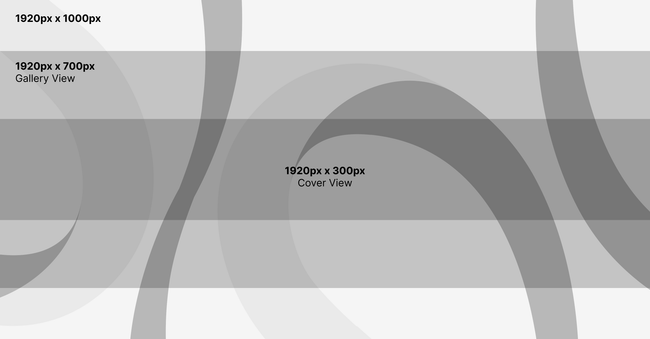
Cover Image Best Practices
To maintain a good display across all sizes:
Optimal Size: 1920px x 1000px for high-quality display across formats (cover, gallery views, and embeds).
Best Practices: Center the main elements of the image to avoid important parts being cropped.
Icons For Documents
Display Formats: Icons appear in both circular and square formats.
File Formats: JPG or PNG (transparent background preferred).
Optimal Size: 250px x 250px.
Best Practices: Focus the primary elements in the center for proper display in both circular and square formats. Use high-quality images to ensure clarity.
Newspaper Layout Components
Top Header:Includes the site’s logo (icon and title) or a custom logo.
Navigator: Positioned below the header for navigation.
Logo Guidelines
File Formats: JPG or PNG (transparent background preferred, but PNG is recommended).
Preferred Format: Horizontal logos are best suited for this layout.
Optimal Size:
Height: 100px.
Width: Determined by the logo’s proportions.
Color Recommendations: Avoid black or white logos in PNG format, as they may not be visible in both dark and light modes. Instead, use a colored version.

Do you like what you are reading? Subscribe to receive updates.
Unsubscribe anytime