

US2: As a new member to a space that allows conversation, I want to discover what are the conversations going on and how to participate easily and with confidence.
Design
New user discovers conversations and community on a space
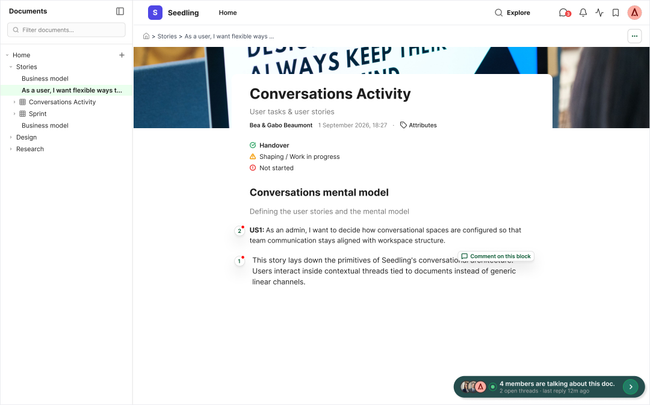
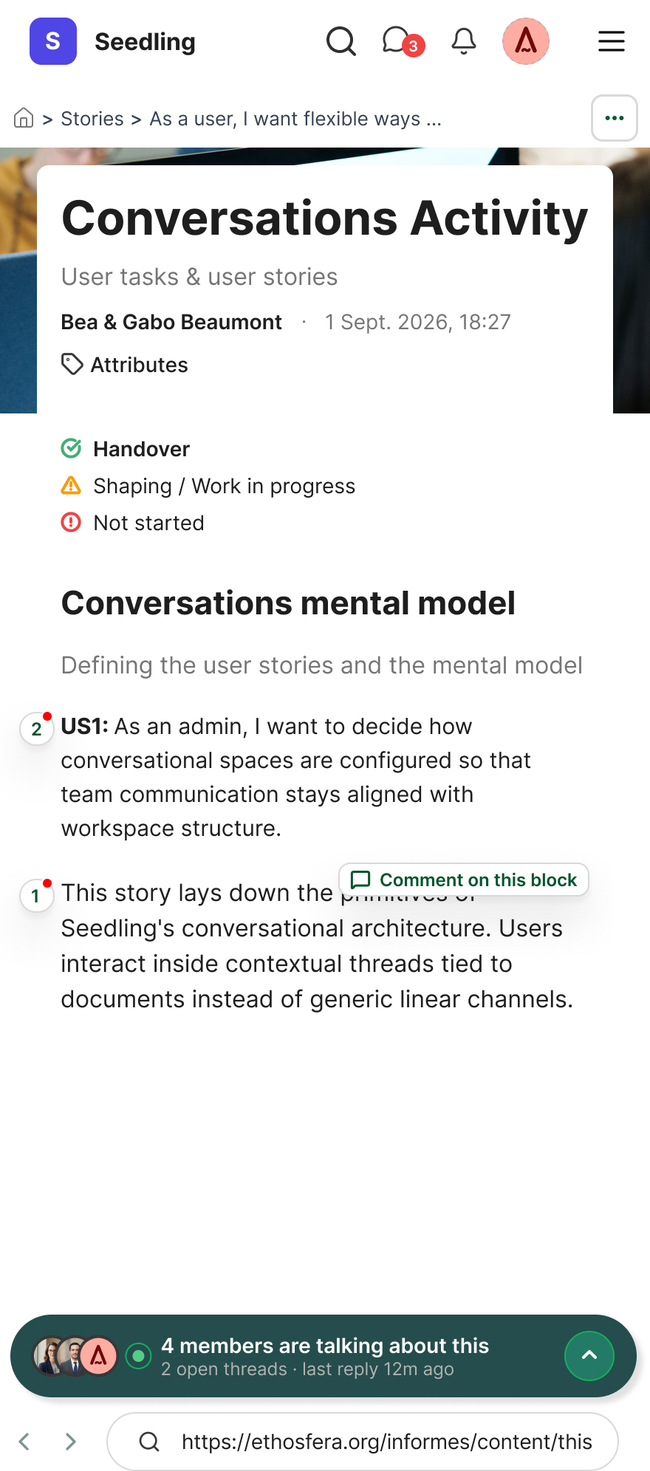
New user follows the conversations happening and who is in there participating.
Maybe we need to add a CTA to invite people here?
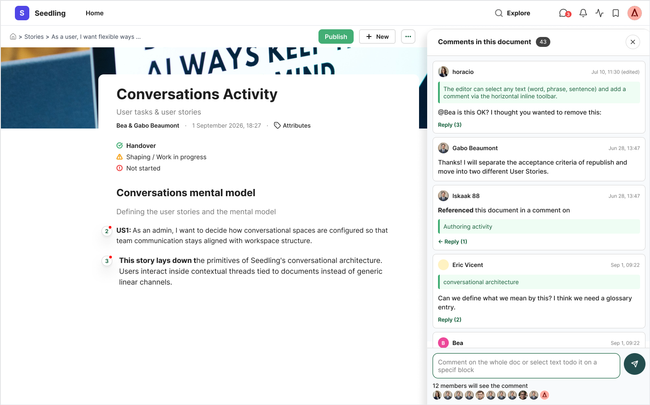
New user adds a new comment
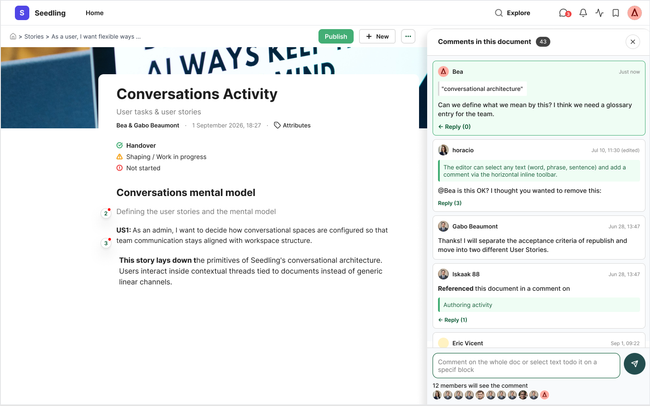
Acceptance criteria
Document content is what is prioritized in the content area
There is a pill in the bottom of the space that shows latest participation in the specific document user is in
We merge the different tabs (Comments, people and references) into 1.
When user clicks a right sidebar opens (bottom up in mobile)
Comments are visually difference if a comment is to:
The whole document
To a specific block text
A referenced to the document (what we call citation)
To an image or video
This is visually highlighted to clear understand it in a glance but without taking a lot of space from the conversations list. To facilitate this:
When user clicks the thumbnail of an image, it will be highlighted/redirected on the document
When user click on a text block, it will be highlighted/redirected on the document
User can easily see who will receive the comment bellow the input comment box (this replace the people tab)
User can close the conversations panel any time
Attributes is move next to document basic information
For new users guidance the document:
Shows more obvious when there are comments on text blocks
Shows a tooltip to leave a comment on any part of the document text
Do you like what you are reading? Subscribe to receive updates.
Unsubscribe anytime