

Substack Heading
We are struggling to separate the Site Content (knowledge repository) from the system functionality on the Web Browser. We haven't settled on the final designs for the Web Mobile or Desktop App, but more or less we know where to put system functionality, but haven't found the place yet in web browsers.
I like the inspiration of Substack Sites. Moving the Navigation bar below the Header, and using the Header to add our System Functionalities.

Wordpress
The floating user name in the left bottom corner feels weird, is too big, and gets in the way of content.
The whole thing feels all over the place. We have a footer with an Open in App button, which nobody uses, because it's never on the screen basically. We have the top green bar when serving third-party content saying "Hosted on ... via the Hypermedia Protocol". Plus we have the account state on the bottom left.
I suggest the following:
Remove the footer.
Make the top bar some less bright color. Show it if any of the following conditions are met:
We need to show the disclaimer when service third-party content.
We are logged in. The disclaimer is shown only if needed. If we just logged in, we simply show the bar with the current account.
We move the open in app button, and the logged in account to the top bar in a much more subtle way, making everything much smaller. Basically we need to make it fit in the current height of this top bar.
We'd make it look a bit like this wordpress top bar. Account selector, open in app button, and other stuff that might be relevant in there:
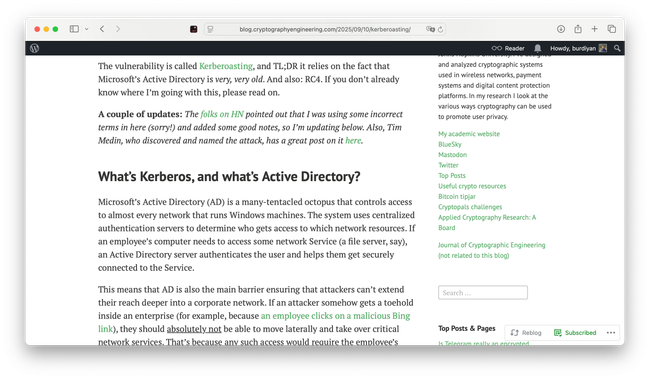
Added as Inspiration to the Project
Do you like what you are reading? Subscribe to receive updates.
Unsubscribe anytime