


This document looks to answer to the following user story>
If we want a way for users to be able to see all the activity for the documents they have subscribed to as well as the communities they belong to, the best thing we can do is adopt the feature of a home feed/ for "For You Page" that many social media platforms like: X, Medium, Substack amongst many other use to keep their users up to date with general information of what's happening.
The feed needs to incorporate both information for the node as well as information form all subscribed sites. To start it would be ideal to have document related information (document creation and document updates) as well as information on discussions (new discussions and replies).
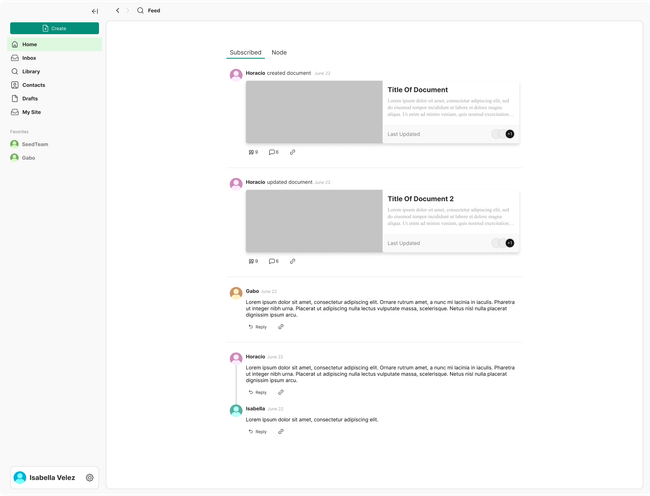
The look for the design was inspired form Substack which uses a combination of document posts in the feed with discussion posts of a sort. Take in mind that this was adjusted to takin into account the needs and stories relevant to Seed users.
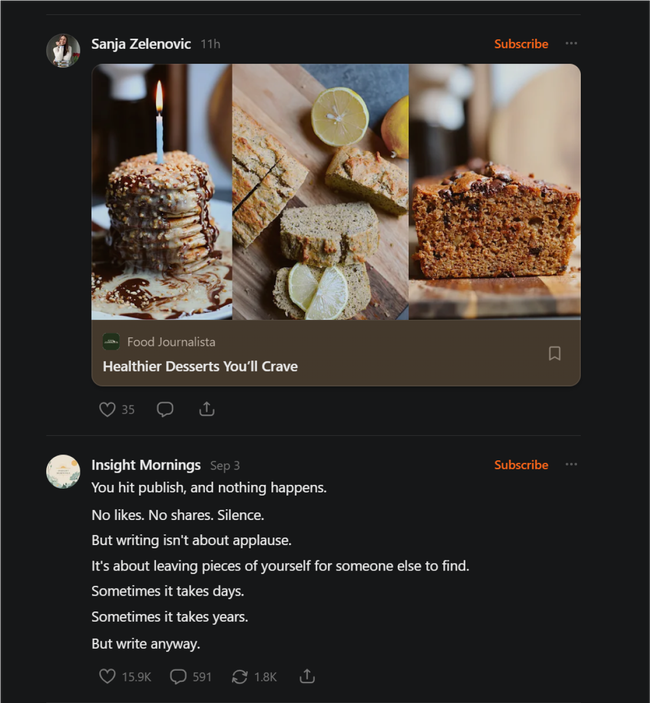
Replies
Its important that users can interact with the feed and give replies straight form there without having to open a secondary panel (This designs should also be adapted to the way replies could work for the query discussions block).
The design for this was inspired by twitter.
Option 1
When a new discussion is made, an event is created for it on the feed.
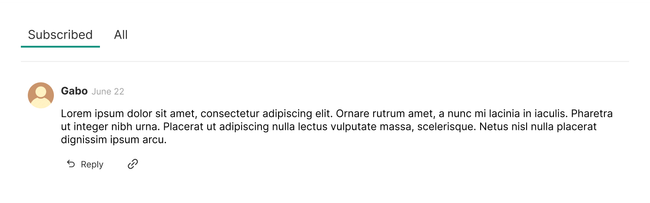
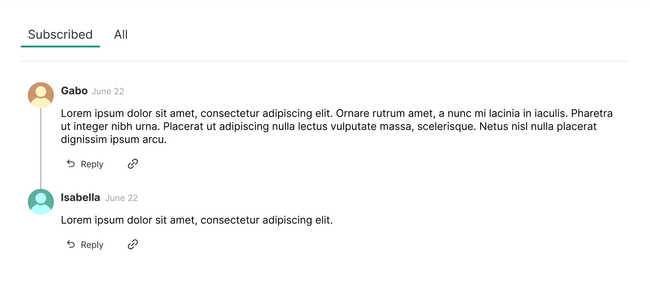
When someone replies to this comment the comment is replaced by an event that shows both the original discussion and the reply.
Option 2
Instead of replacing the original discussion event in the feed, a new event is made with both the original discussion and its reply.
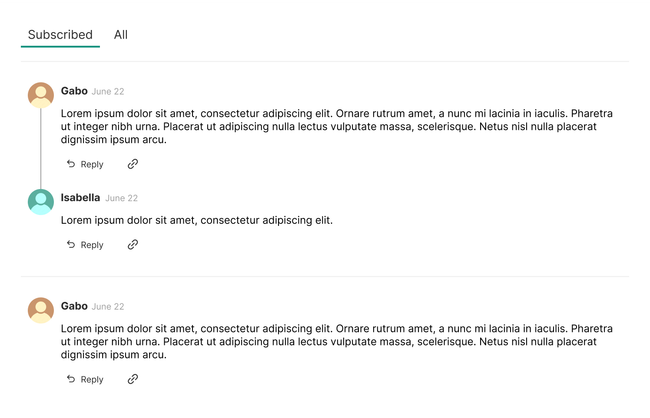
Threading and Commenting on The Feed
The commenting system on the feed must be done on the feed and for this X was used as inspiration.
If you create a new original discussion (The one you will see below)
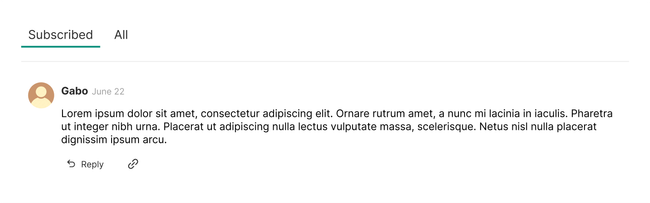
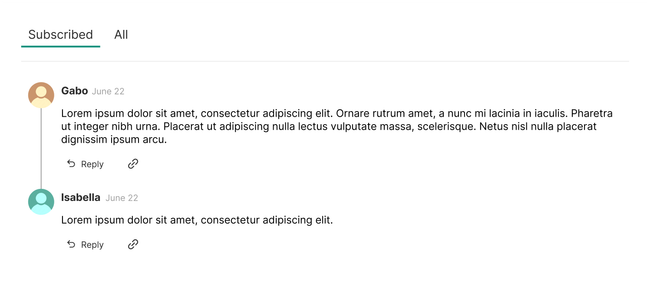
And someone does a 1st reply to you. You will be able to see in the feed, the event with the original comment and the 1sth reply.
But then if someone does a reply to the reply The thread of the original discussion will be collapsed and the 1st reply will be shown with the reply made to it.
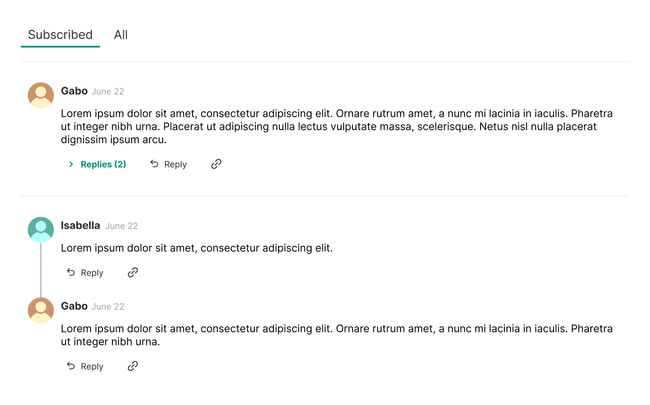
Clicking on the reply will open that individual thread with all its children similar to how its done on X.
Clicking a thread will also open up the threaded discussion similar to how X does it. It will open the thread depending on where you want to reply.
Do you like what you are reading? Subscribe to receive updates.
Unsubscribe anytime