


Methodology
Priorities
Eric is complaining that the priorities are not clear. Hope this helps:
The Strategic Goals are defined in the Roadmap Document.
We follow the Feedback Loop Process, where priorities are based on our Users' Conversations.
We have Bugs, Enhancements, and Projects. I have added a new Document to follow the project's priority closely. Using the Meeting Notes was too messy. However, I will embed the priorities document in every meeting notes document. The Priorities are based on the list order.
If there is no consensus in the Room Gabo decides the priorites as last resource.
Product Definition Process
Currently, we are too slow on the product ideation and there is too much drama. The problem is the methodology. I have expanded the process based on the Design Sprints book from Google.
Pains
Alex
I keep seeing my picture on Isabella's name for some reason ¯\_(ツ)_/¯.
Code blocks wrap text. I think it's most common for them to overflow and let scroll horizontally. GitHub does it this way, and many other places. I think it's the right way to do it, especially given that our text width in the app is pretty narrow.
The floating user name in the left bottom corner feels weird, is too big, and gets in the way of content.
The whole thing feels all over the place. We have a footer with an Open in App button, which nobody uses, because it's never on the screen basically. We have the top green bar when serving third-party content saying "Hosted on ... via the Hypermedia Protocol". Plus we have the account state on the bottom left.
I suggest the following:
Remove the footer.
Make the top bar some less bright color. Show it if any of the following conditions are met:
We need to show the disclaimer when service third-party content.
We are logged in. The disclaimer is shown only if needed. If we just logged in, we simply show the bar with the current account.
We move the open in app button, and the logged in account to the top bar in a much more subtle way, making everything much smaller. Basically we need to make it fit in the current height of this top bar.
We'd make it look a bit like this wordpress top bar. Account selector, open in app button, and other stuff that might be relevant in there:
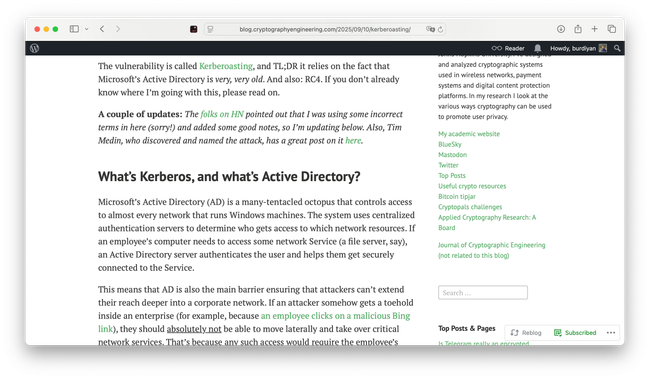
Added as Inspiration to the Project Readers start creating profiles!
Gabo
I want to embed only a parent block!
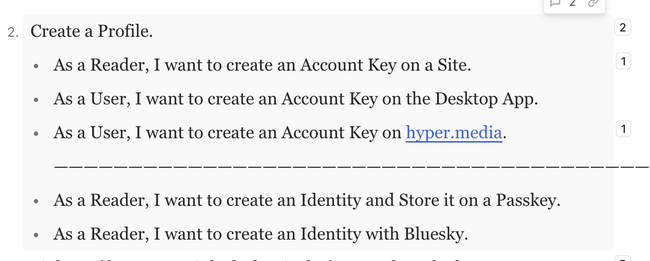
Create a ProfileAdded as feedback:
Default Sorting: 1. Order of appearence on the text, 2. time of root comment.
New Sorting: Order by thread activity.
I can't embed documents if the haven't been publish to hyper.media even being in local
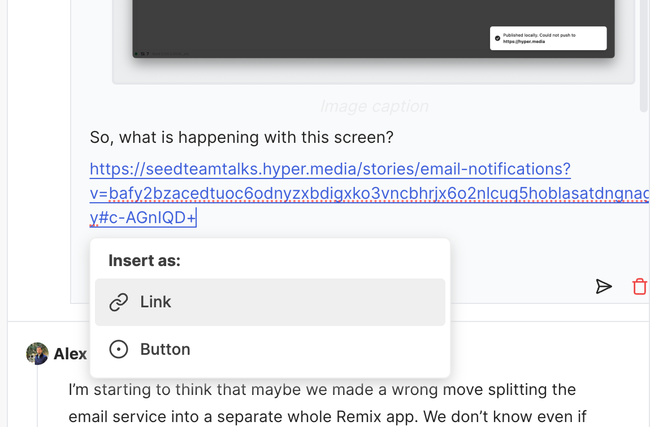
Adding links in documents looks like we are using static links instead of latest links! this is super annoying!
Impossible to find the Collaborators or Directory Panel. Maybe we could add the links here and floating.

Confusion between Dicussions and Discussion filter
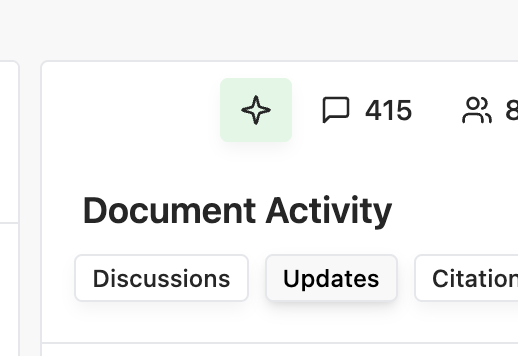
This Star Icon is not very meaninfult to users what if we go back to:
Collaborators Panel
grand word
form
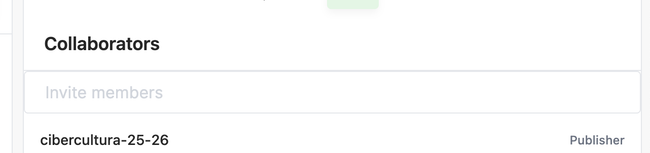
showing the list of the Site People to ease add them.
Bug of the names.
We need revocations.
Syncing
Assign to the backend team.
Review at a broader level.
Horacio
When I tried to subscribe to my email on the desktop app I did not get a success message neither a confirmation. also when I reload the settings I still see the subscribe button.
when using the Launcher, it takes a while to show results and I dunno if its broken or not while is "loading"
Maria
Site Community List Management. Participants List. Add permissions to their list. API is cooking already by @julio.
Authors is an account that have contributed to a document on a Site.
Commentators (or comment?)
Members is an account with some sort of Site capabilities. Writers but I haven't written anything.
(project: adding community list to a site.)
Julio
Linux Auto-updater is strange. Green button.
Isabella
Commenting names.
(Bug: working on it)
Email not working.
(Bug: working on it)
Toggle discussions, icons.
Added as feedback to Design
open links from discord will open on web.
Don't know what to do!
Eric
general stability of the app.
Notes
Horacio
Super numbers open the accessory panel directly.
The User should see the Comment and Copy link button when selecting a block or a range, not by hovering!?
Review with @Untitled Contact the document options panel. I shared an idea.
Help shaping the Layout and Navigation project.
List of concerns:
Where to open a third party Site.
Where to find the Site Community List.
How to show the App Navigation Menu on the App?
Eric
Comment Embeds Project.
Bugs.
Help shaping the Layout and Navigation project.
Julio
Finish the Push Project.
Alex
Finish the Private Documents Project.
Alex needs feedback about what API needs from the frontend.
Lets finish the current thing so we can start with revocations!
Isabella
Work on the Layout and Navigation project.
Consistent a cross desktop, web mobile and web desktop.
Add the List of Participants page to the Site App Navigation. Site Community List Management. Participants List. Add permissions to their list. API is cooking already by @julio.
Authors is an account that have contributed to a document on a Site.
Commentators (or comment?)
Members is an account with some sort of Site capabilities. Writers but I haven't written anything.
(project: adding community list to a site.)
Improve the Document Options and Accessory Panel
Impossible to find the Collaborators or Directory Panel. Maybe we could add the links here and floating.
Confusion between Dicussions and Discussion filter
This Star Icon is not very meaninfult to users what if we go back to
Collaborators Panel
grand word
form
showing the list of the Site People to ease add them.
Work on the Follow up Conversations project.
Do you like what you are reading? Subscribe to receive updates.
Unsubscribe anytime