


Why a UX Review?
We conduct this UX review to:
Help users quickly understand Seeds’ value on their first use.
Ensure they can navigate its core features intuitively.
Identify what isn’t working in the current experience.
Remove friction and reduce unnecessary complexity.
Proposed Phases for the UX Review
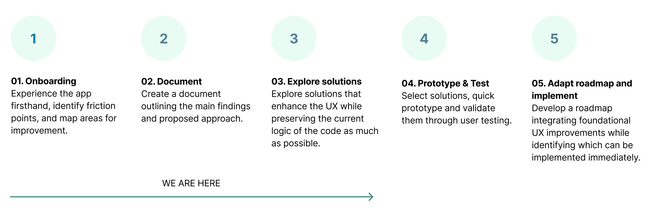
Layer approach
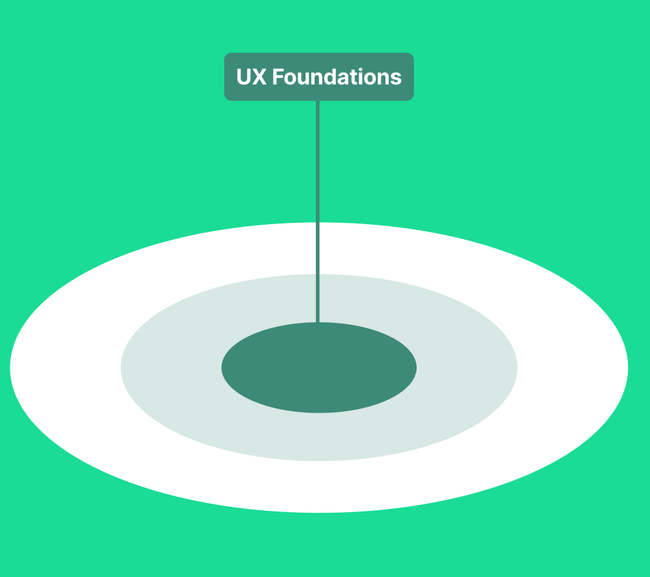
Let’s say we will approach the UX of Seeds as an onion, built in layers.
We begin with the UX foundational layer, the core of the experience. If this isn’t right, everything built on top of it starts to break.
Each layer supports the next, and together they create the full user experience.
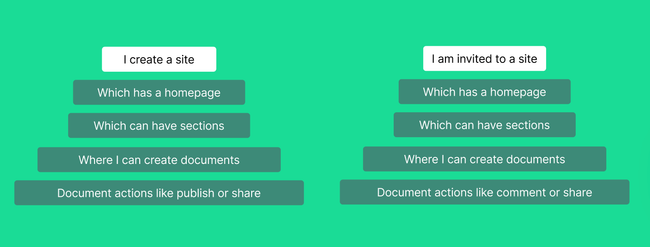
Main user stories defined by Seed:
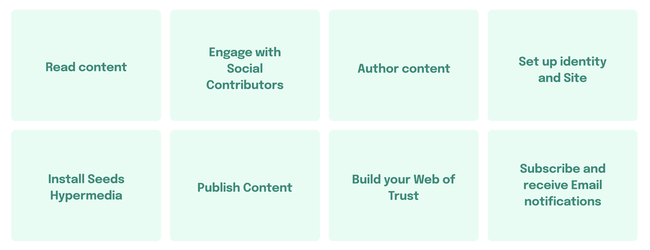
The UX foundations analysis will focus on:

Foundations Analysis Findings
A lack of coherent navigation structure and UX standards disrupts user expectations and creates cognitive overload
Overall pain points
➝ Blended hierarchy levels: actions and content elements from different layers coexist inappropriately.
➝ Not adhering to established UX standards, ie: not having one clear CTA on each level.
Opportunity
Create a clear navigation structure and onboarding flow that guides first-time users smoothly, improving discovery and overall ease of use.
Benefits for Seed Hypermedia
• Faster user orientation and task initiation
• Reduced frustration and drop-off during first-time sessions
• Stronger foundation for scalable information architecture
Pain points breakdown:
1.1 Unclear hierarchy makes it difficult to navigate and understand tool’s value
Not obvious what you are doing on the tool, if you are creating a site, a document, or something else.
Inconsistent labels and option placement make navigation harder.
The main header actions are confusing: some of them are global actions, while others are specific to the site.
There are duplicated items with unclear location or belonging, e.g., Feed, Search…
Proposed solution:
Rethink the navigation structure and guiding users through the tool’s core flow easily.
Define clear areas of navigation: One area for my site, one for my content, one area for other sites…
Add secondary levels of actions in context, i.e.: share inside the specific site area.

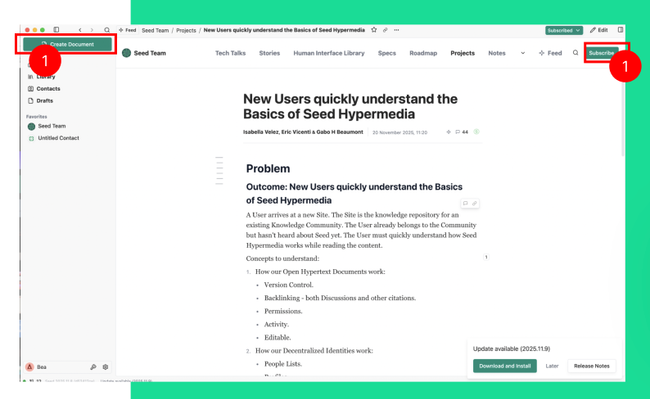
1.2 Unclear Call to actions and how to start using the tool
Primary calls-to-action are unclear, leaving users unsure about the correct first step, such as subscribing or creating a document.
Proposed solution:
Create clear, context-aware primary CTAs to guide users through the correct next step.
1.3 Subscribe button confuses editing context
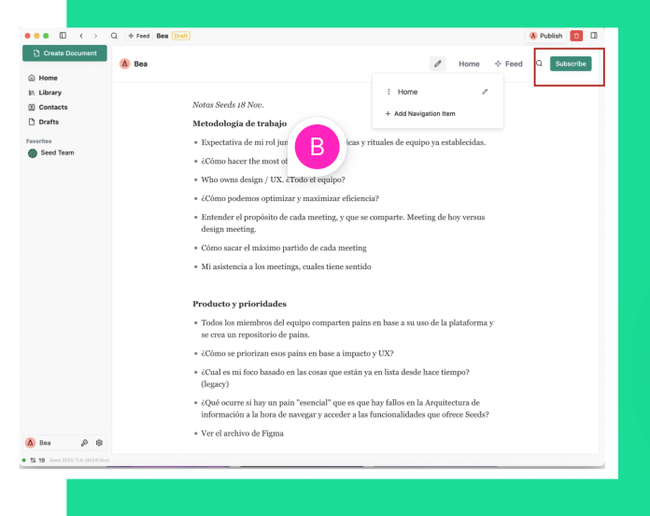
Confusing primary call-to-action: the ‘Subscribe’ button appears in a prominent position even when editing.
This misleads users, making it unclear whether it’s part of the editing interface or the live site, creating unnecessary confusion.
Proposed solution:
Provide separate views for editing, previewing, and published content, so users can clearly distinguish what they are doing.
1.4 Content creation lacks intuitive guidance
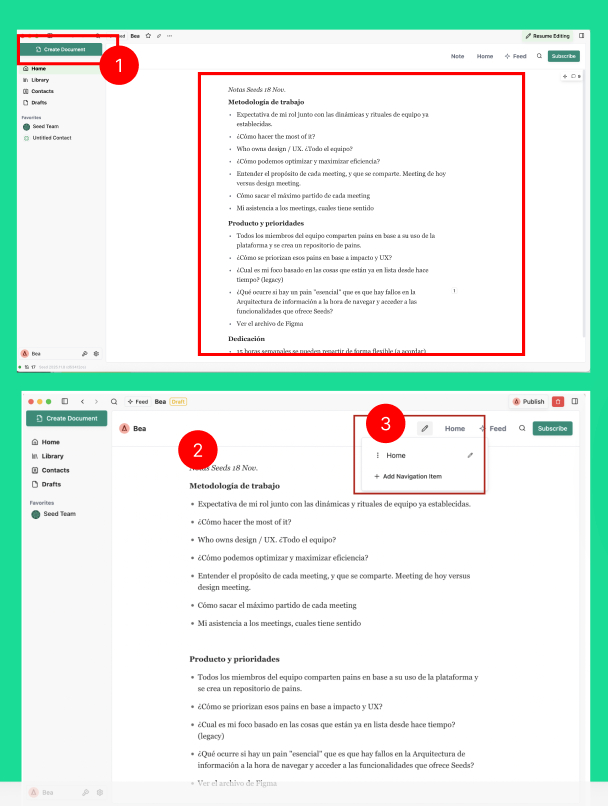
When I create a document for the first time, I miss the concept of homepage.
I created a document but I don’t know where it belongs to.
Where is creating it?
When creating sections I will expect to be able to create content inside.
I get lost in what to do next.
Proposed solution:
Create a clear space on the layout for content creation
Clear areas for call to actions, content, secondary actions…
Define guided and intuitive step-by-step experience when you are creating a document for the first time

1.5 Content organization and access between sections and the directory is unclear.
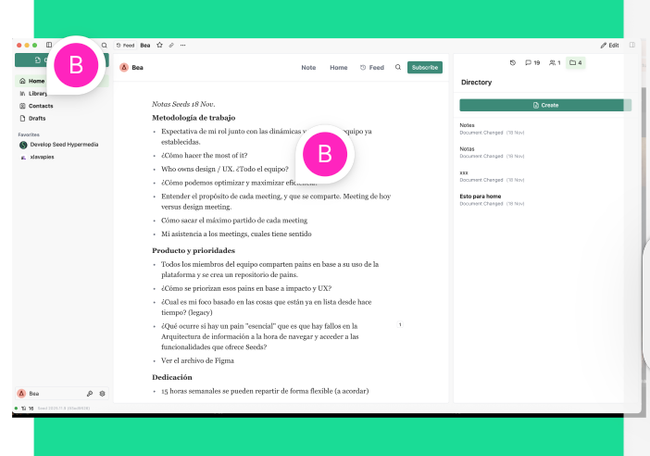
As a user I want to understand how my content is organized and how I can access to it.
• Directory is very hidden and I don’t understand the logic behind it. Where is it place in my content logic? Why is different navigating through sections that directory?
Proposed solution:
Surface the content directory and establish a clear, consistent logic for how content is organized and accessed across the product.

1.6 Document actions are hard to find due to placement
Difficult to find and understand the actions relevant to the document you are working on because:
Contextual actions are placed on the global top-menu
Different action levels (e.g., export vs. create new document) aren’t clearly distinguished.
Proposed solution:
Make document actions contextual to the document you are working on, not part of the top menu, and add just actions that are specific to the document.
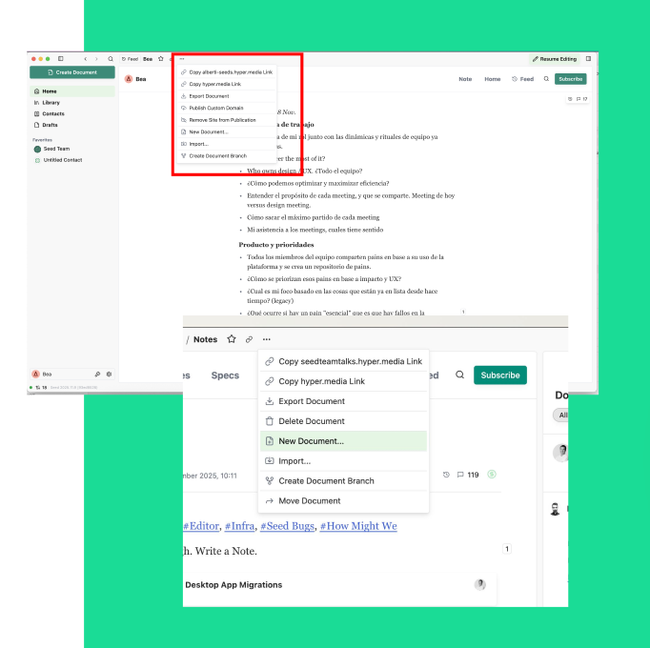
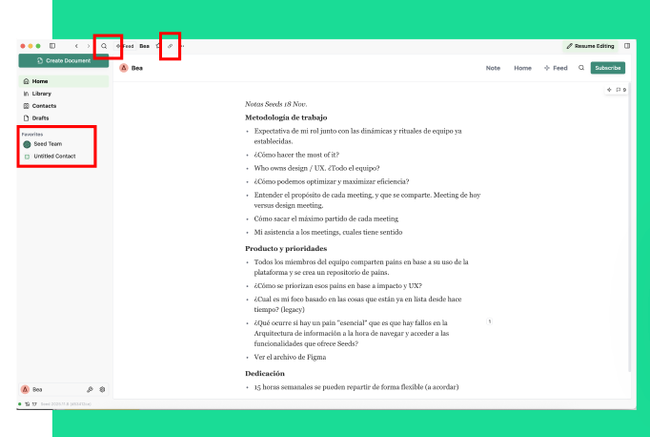
1.7 Difficult to explore sites and related actions
It’s unclear that users can explore other sites or how to search for them.
The term “Favorites” is inconsistent; if “Subscribe” is used as an action, it should be labeled “Subscriptions” for consistency.
Sharing my site icon link is not clear because it is not the standard and because of where it is placed.
I will expect actions like share to be contextual on the site information area.
Proposed solution:
Create a clear space where user can search for sites and see the ones they are subscribed to already. Search needs to be next to this area.
Create a site information area, always visible with all the actions related to it including search docs or share.
Use the standard icon for share (not a link).
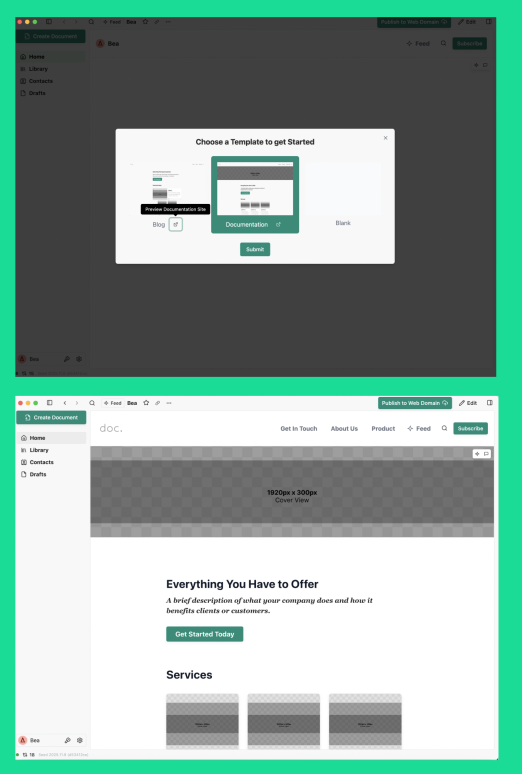
1.8 Templates increase cognitive load for new users
When landing on the platform, the “Templates” option creates confusion. Difficulty understanding the difference between template types, especially during early interactions.
When I land inside a template I selected, I don’t know where to start.
These issues combine with the overall hierarchy problems, making it difficult to begin.
Proposed solution:
Start with a blank slate instead of template options, allowing users to explore the app’s core features without distraction while guiding them on how to begin creating content.
1.9 Add identity/Seeds accounts
To be done
Proposed solution:
xxx
Do you like what you are reading? Subscribe to receive updates.
Unsubscribe anytime